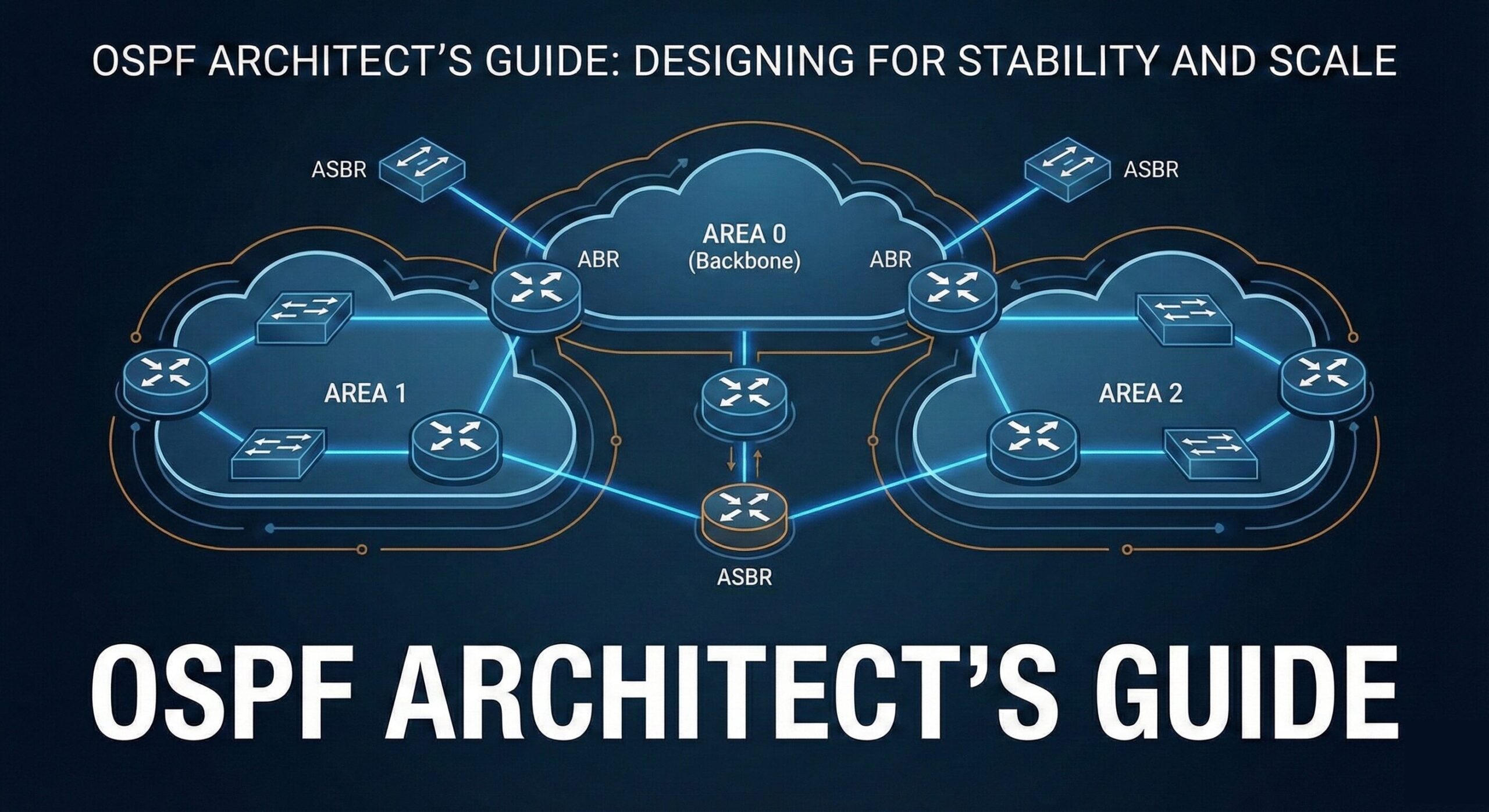
Because Good OSPF Design Prevents 2 A.M. Phone Calls, Heartburn, and Existential Dread
You’ve stuck with this series through neighbor states, areas, LSAs, and SPF algorithms.
Now we get to the part where all that knowledge turns into real-world design wisdom—
the kind you only gain from:
• production outages,
• painful migrations,
• and explaining to leadership why OSPF didn’t “just work.”
Welcome to Post 6:
OSPF design best practices from someone who has scars to prove they’re real.
1. Keep Area 0 Sacred
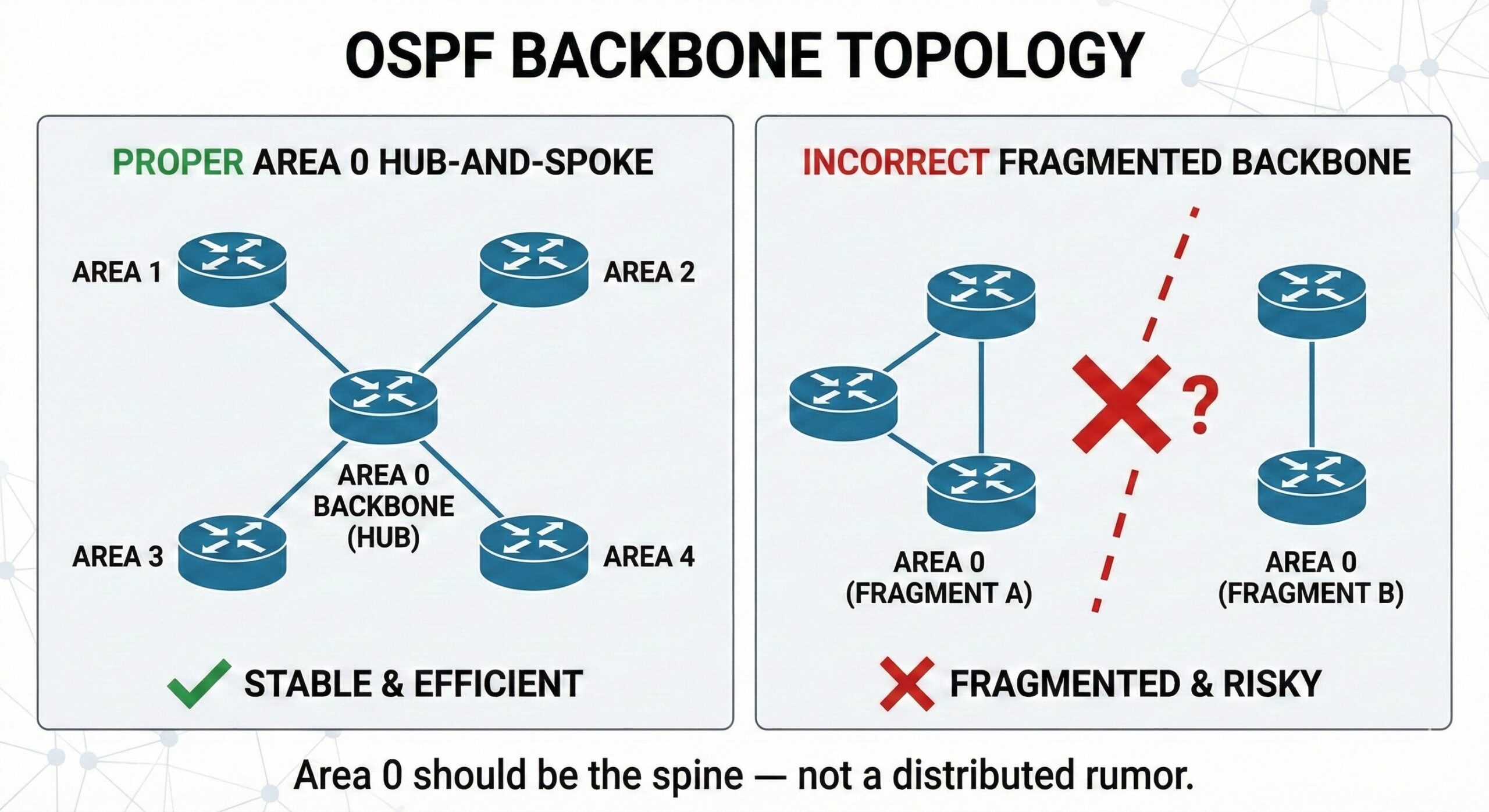
Area 0 is not a suggestion.
It’s the spine, the nervous system, the glue.
Rules to live by:
• Always connect other areas to Area 0.
• Don’t fragment Area 0.
• Don’t build your backbone out of unstable links.
• Don’t let Area 0 run through a device older than your coffee mug.
If Area 0 flaps, everyone flaps.
Protect it like your uptime depends on it—because it does.
2. Minimize the Number of Areas Per Router
Yes, your router “supports 50 areas.”
No, your design shouldn’t.
Recommended:
• 1–2 areas: ideal
• 3: acceptable
• 4+: questionable
• 10: You’re practicing chaos engineering without knowing it
More areas = more LSAs, more SPF runs, more CPU load, more neighbor adjacencies to babysit.
3. Summarize Aggressively (But Don’t Be a Monster About It)
Summarization reduces LSDB size and improves stability.
At ABRs:
• Summarize your downstream /24s into /20s or aggregated blocks
• Summarize loopbacks where possible
• Summarize external routes at ASBRs
But be careful:
• Don’t obscure subnets that require distinct routing
• Don’t create black holes
• Don’t summarize more than you can support operationally
Well-planned summarization is the secret to SPF sanity. Most organizations pull their hair out when someone breaks a supernet—assigning a /24 to a wireless subnet just because IPAM said it’s ‘available.
4. Use Stub and Totally Stubby Areas Correctly
If you have:
• A hub-and-spoke design
• Branch offices
• Remote sites
• Places with limited routing churn
Then stub and totally stubby areas are your friends.
Do NOT make a data center a stub area.
Unless your goal is to break everything.
5. NSSA Only When You Truly Need It
NSSA exists for a reason:
to allow external routes inside an area that otherwise behaves like a stub.
But NSSA introduces Type 7 LSAs, ABR conversion logic, and complexity.
Good use cases:
• Branch site redistributing local static routes
• Small regional hub needing limited external connectivity
Bad use cases:
• Your core
• Anywhere requiring simplicity
• Anywhere you intend to sleep peacefully
6. Avoid Overloading Areas With Too Many Routers
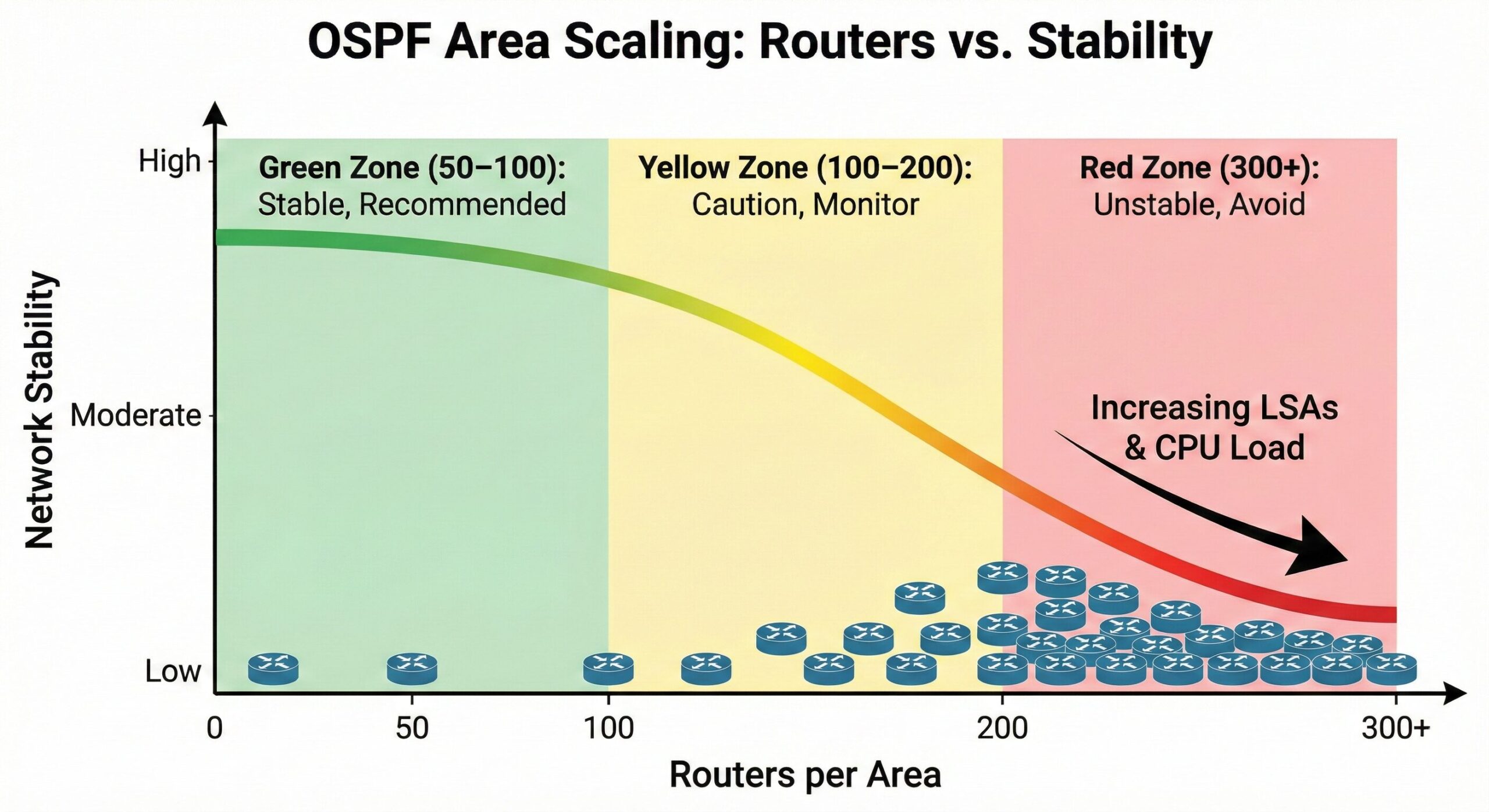
OSPF is resilient, but it’s not magic.
Soft upper guidance:
• 50–100 routers per area: healthy
• 100–200: pushing it
• 200–300: stressful
• 300+: you’ve built the next CCIE lab, congrats!
More routers = more LSAs = more SPF recalculations = more risk.
7. Avoid Large Multi-Access Networks
Broadcast and NBMA networks elect DR/BDR and create Type 2 LSAs.
Problems with big multi-access segments:
• Lots of DROTHERs
• Lots of LSAs
• Lots of neighbor adjacencies
• DR/BDR flapping = outages
If you want stability:
• Use point-to-point links
• Use /31s or /30s
• Keep multi-access domains small
Large broadcast segments are where OSPF goes to cry.
8. Keep MTUs Consistent (Or Prepare for Pain)
MTU mismatches cause neighbors to get stuck in ExStart/Exchange.
OSPF will argue FOREVER about mismatched MTUs.
It will not compromise., it wont negotiate.
It will silently hate you.
Fix MTUs.
Set MTU-ignore if you must.
Document everything.
9. Beware of Redistribution
Redistribution is OSPF’s gateway drug to chaos.
Importing:
• BGP
• Static
• Connected
• EIGRP
• RIP
• DHCP snooping entries (don’t ask)
…creates Type 5 or Type 7 LSAs that flood the domain.
Best practices:
• Summarize before redistributing
• Filter aggressively
• Don’t import full Internet tables (please)
• Monitor LSA sizes and stability
External routes can turn a pristine OSPF environment into a disaster area.
10. Build Predictable Topologies
OSPF loves structure.
Good topologies:
• Hub-and-spoke with Area 0 at the hub
• Regional areas feeding the backbone
• Summarized, layered designs
• Point-to-point transport links
• Two-tiered ABR architectures
Bad topologies:
• Accidental multi-path adjacency spaghetti
• Rings with dual ABRs everywhere
• Islands connected through virtual links
• MPLS WANs with random neighbor relationships
Hierarchy and predictability = stability.
⸻
Architect’s Corner: Principles to Tattoo on Your Soul
•   Stability \> cleverness
•   Simplicity scales
•   Don’t turn OSPF into BGP
•   Summaries calm the SPF gods
•   Virtual links are a cry for help
•   Never underestimate the impact of one flapping interface
•   Document your areas, ABRs, and summaries before deploying
Future-you will thank present-you.
Coming Next: “Troubleshooting OSPF Without Crying (Much)”
Our final post (Post 7) will cover:
• Common failure patterns
• Debugging neighbor issues
• LSA weirdness explained
• SPF problems
• How to systematically isolate and fix OSPF outages
• A troubleshooting checklist from real-world incidents